9 Managing Files
9.1 Best Practices for File Management in this Course
Good file management practices will make your life working with geographic data much easier. Poor file management is the number one stumbling block that I see in my GIS classes and these issues are entirely avoidable. Strong file management skills are essential not only for GIS but for any project-based work involving multiple datasets, documents, or tools- such as academic research, coding projects, group assignments, or long-term writing tasks.
Completing an analysis in GIS usually takes place over the course of several days, weeks, or months. We will store our GIS work in QGIS project files, which save references to layers (their file paths), map symbology, styles, coordinate reference systems, and other project settings, but not the data itself. A file path is a reference to where a file is located on your individual computer. So, in a project file, QGIS is saving where the data is stored, not the data itself. For instance, I am writing this file in a document that is stored in my “Documents” folder. For me, this file is located at this file path:
“/Users/juliacardwell/Documents/GEOG370/geog370_text.doc”
Disorganized folder structures increase the risk of losing data or breaking file paths in your QGIS project. Therefore, in this class, everyone will use the same folder structure. You should create a “GEOG370” folder on a location on your computer that IS NOT your “Downloads” folder. Within that folder, you will start with one subfolder named “labs” Within each subfolder, you will continue to build substructures. Each lab will have its own folder. It is best practice to not use spaces in folders or file names. My example GEOG370 folder structure is below:
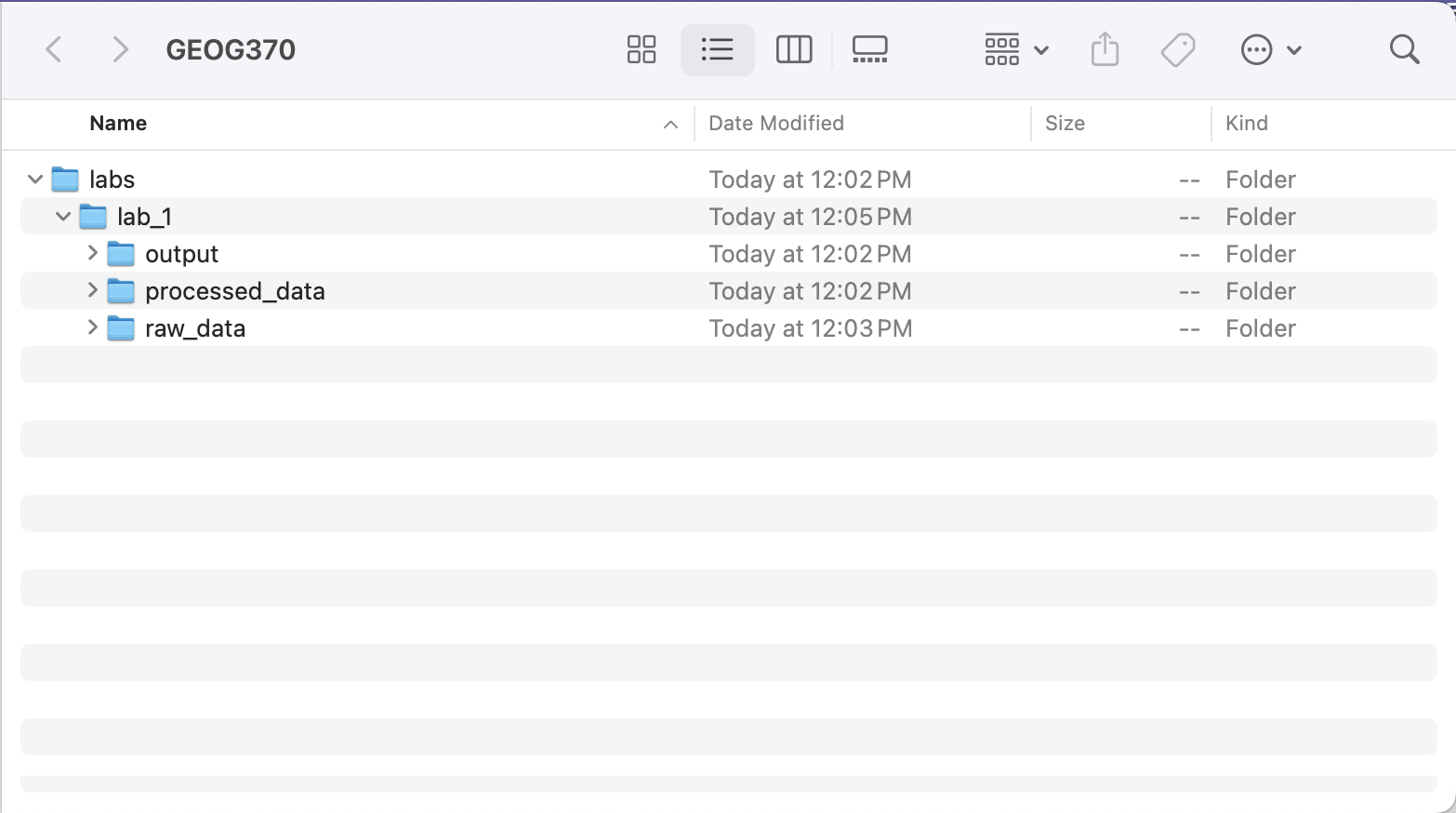
QGIS projects create a lot of files very quickly. Whenever you run a process in QGIS, it creates a new version of the data, which is usually displayed as a “temporary file” unless you save it specifically. Temporary files are not saved when you save the project. That means the next time you open the project, you won’t have that layer anymore. Therefore, whenever you are producing an output in QGIS that you want to keep, you must save that output in the correct location (usually your processed_data folder). If you run the same tool multiple times while troubleshooting or tweaking parameters, save the outputs with clear version labels (e.g., buffer_300m_v1.shp) and consider deleting intermediate versions you don’t need. Keeping your folders clean and organized will make it easier to know which version is “final” and reduce confusion later.
Note on shapefiles: For a shapefile to work in QGIS, it must have all of the associated files as well (.dbf, .prj, etc.).
9.2 Enterprise GIS and the Limits of File-Based Systems
Throughout this course, we will work with shapefiles and other local file types to store and analyze spatial data on our individual computers. These are examples of file-based GIS, where each dataset exists as a separate file on your computer. While this works well for small, individual projects, it becomes unmanageable at larger scales. File-based systems struggle with version control, performance, and collaboration. For instance, only one user can edit a shapefile at a time, and there is no built-in way to track changes or prevent accidental edits.
In contrast, enterprise GIS refers to systems where spatial data is stored in centralized relational databases, accessed and managed through networked environments. Working in a professional GIS environment generally requires working in an enterprise, rather than file-based, system. In an enterprise system, instead of opening static files, users query the database to retrieve just the data they need which allows for faster, more secure, and collaborative workflows. These relational databases are accessed and queried using SQL (Structured Query Language). With spatial SQL (enabled by platforms like PostGIS or Oracle Spatial), users can run spatial queries (such as finding intersections, measuring distances, or calculating areas) directly on the database. While full enterprise systems may be beyond the scope of this course, tools like GeoPackage offer many of the same benefits in a more accessible format. GeoPackages support SQL-based analysis, spatial indexing, and multi-layer storage, and it is open-source!